PlantSense Is Now in HACS

If you run Home Assistant, PlantSense now installs like any other community integration. As of today the PlantSense integration is in the default list of HACS, the community store for Home Assistant, so there is no custom repository to add. Search for PlantSense, download it, and sign in.
Installing it
- In Home Assistant, open HACS and search for PlantSense. The Open in HACS button on our Home Assistant guide takes you straight there.
- Click Download, then restart Home Assistant.
- Go to Settings → Devices & services → Add integration, choose PlantSense, and sign in with the email and password you use in the PlantSense app.
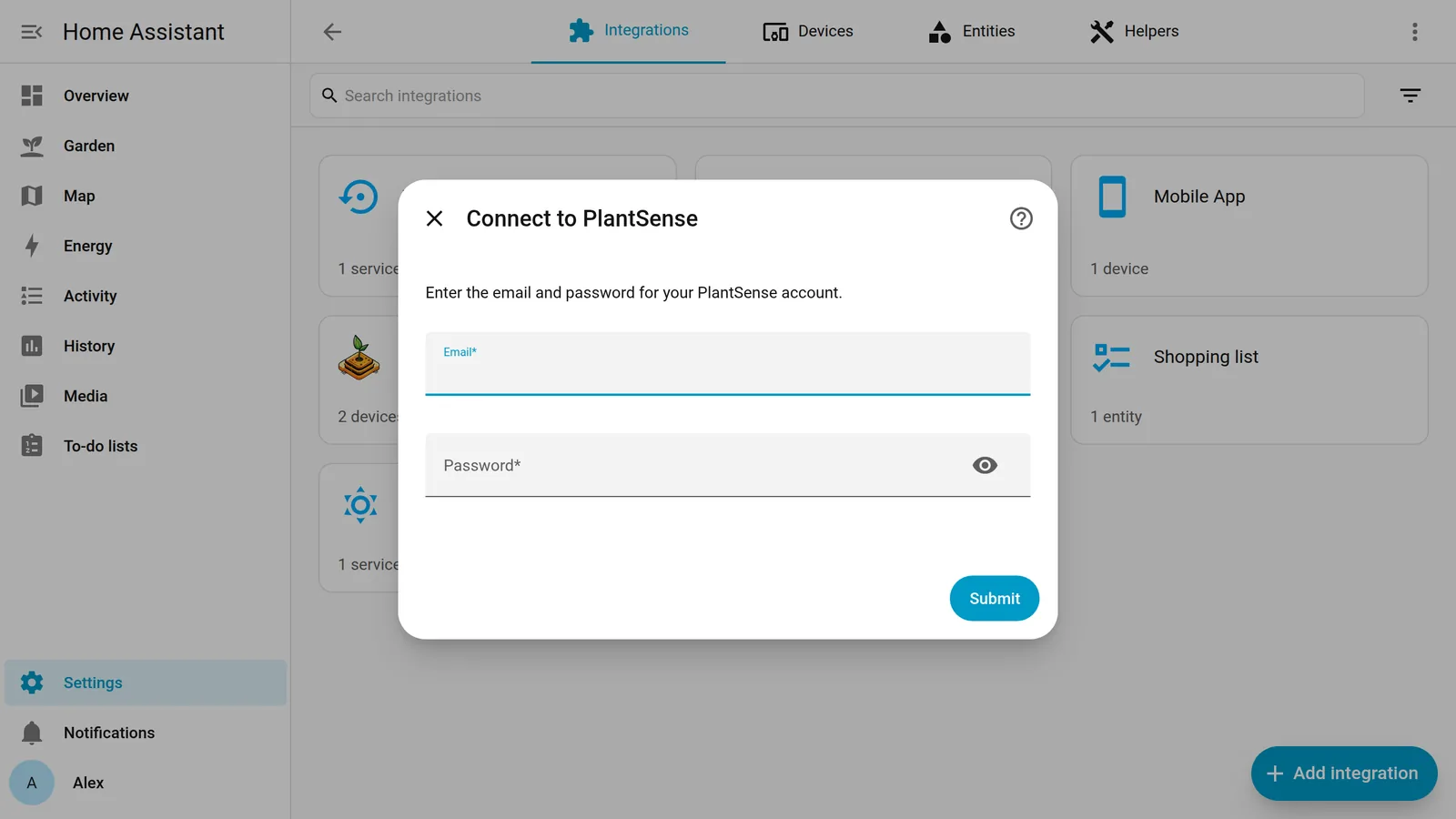
If you signed up with Apple or Google, your account doesn't have a password yet. Tap Forgot your password? on the app's sign-in screen to set one, then use it here.
Home Assistant 2026.11 builds HACS in as the Marketplace. From that version on, go to Settings → Marketplace, search for PlantSense, and select Install.
What shows up
Each sensor on your account becomes a Home Assistant device, named after the plant you gave it in the app. It has five readings: Moisture, Temperature, Humidity, Illuminance and Battery. Two diagnostics come with them: WiFi Signal and Last reading, the time the sensor last reported. Entity ids follow the plant's name, so a Fiddle Leaf Fig gets sensor.fiddle_leaf_fig_moisture.
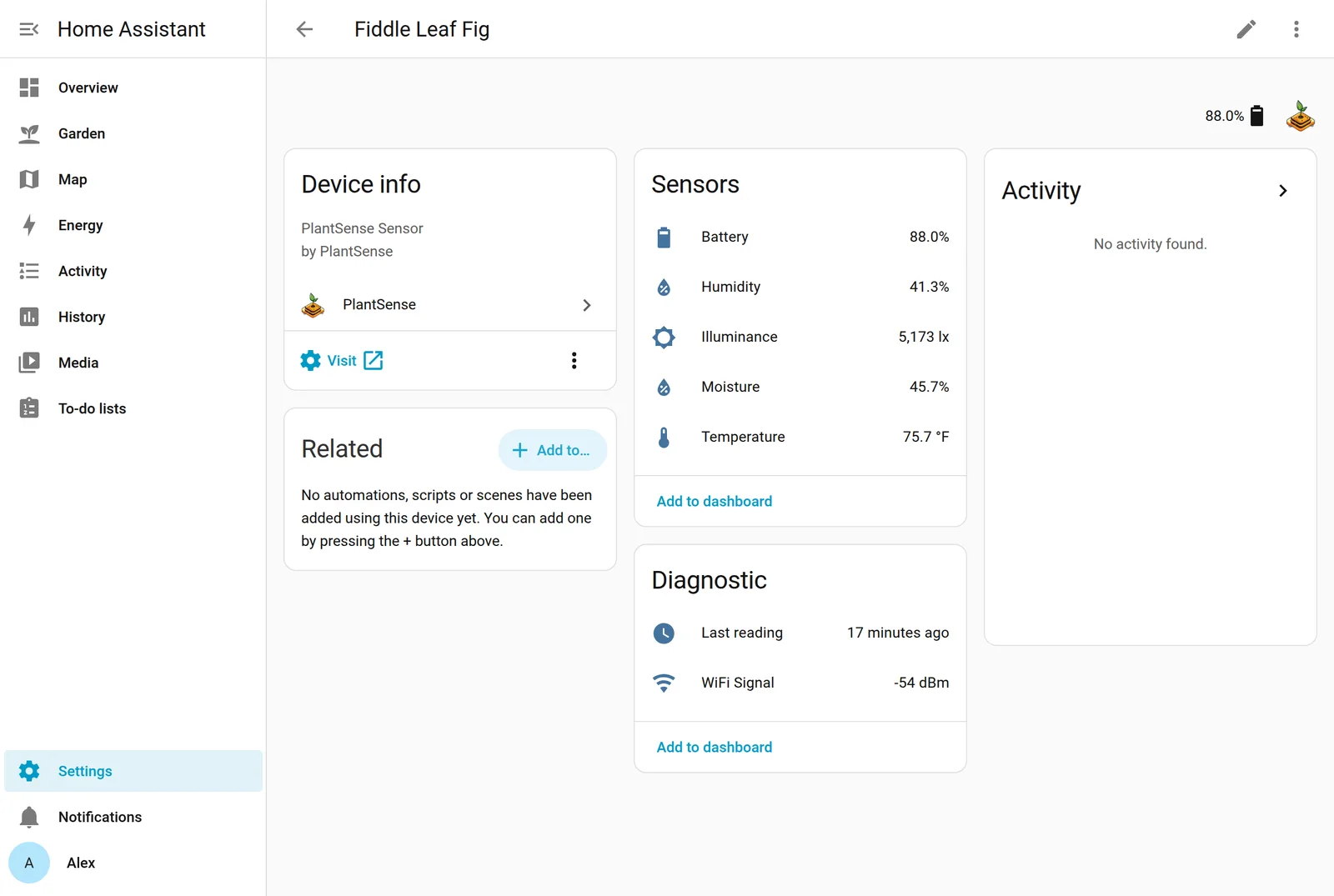
Sensors you add to your account later appear by themselves, with no restart.
Why it reads from your account
A PlantSense sensor spends almost all of its time asleep. It wakes every 90 minutes to 5 hours, takes a reading, sends it, and goes back to sleep after about 30 seconds. That's how it lasts weeks on a charge, and it's also why Home Assistant can't simply ask the sensor for a value whenever it likes.
So the integration reads from your PlantSense account instead, every 20 minutes. Home Assistant has the latest values while the sensor sleeps, and the sensor doesn't even need to be on the same network as Home Assistant.
If a sensor goes quiet for more than 6 hours (the point where the app shows it as Offline), its readings turn unavailable in Home Assistant, so an automation never acts on an old number. Last reading stays available, which makes it easy to build an alert for a sensor whose battery ran flat.
A card that looks like the app
The PlantSense Card shows a plant the way the app does: its name, a Healthy / Needs water / Too wet pill, and dials for moisture, light, temperature and humidity. It follows Home Assistant's light and dark themes.
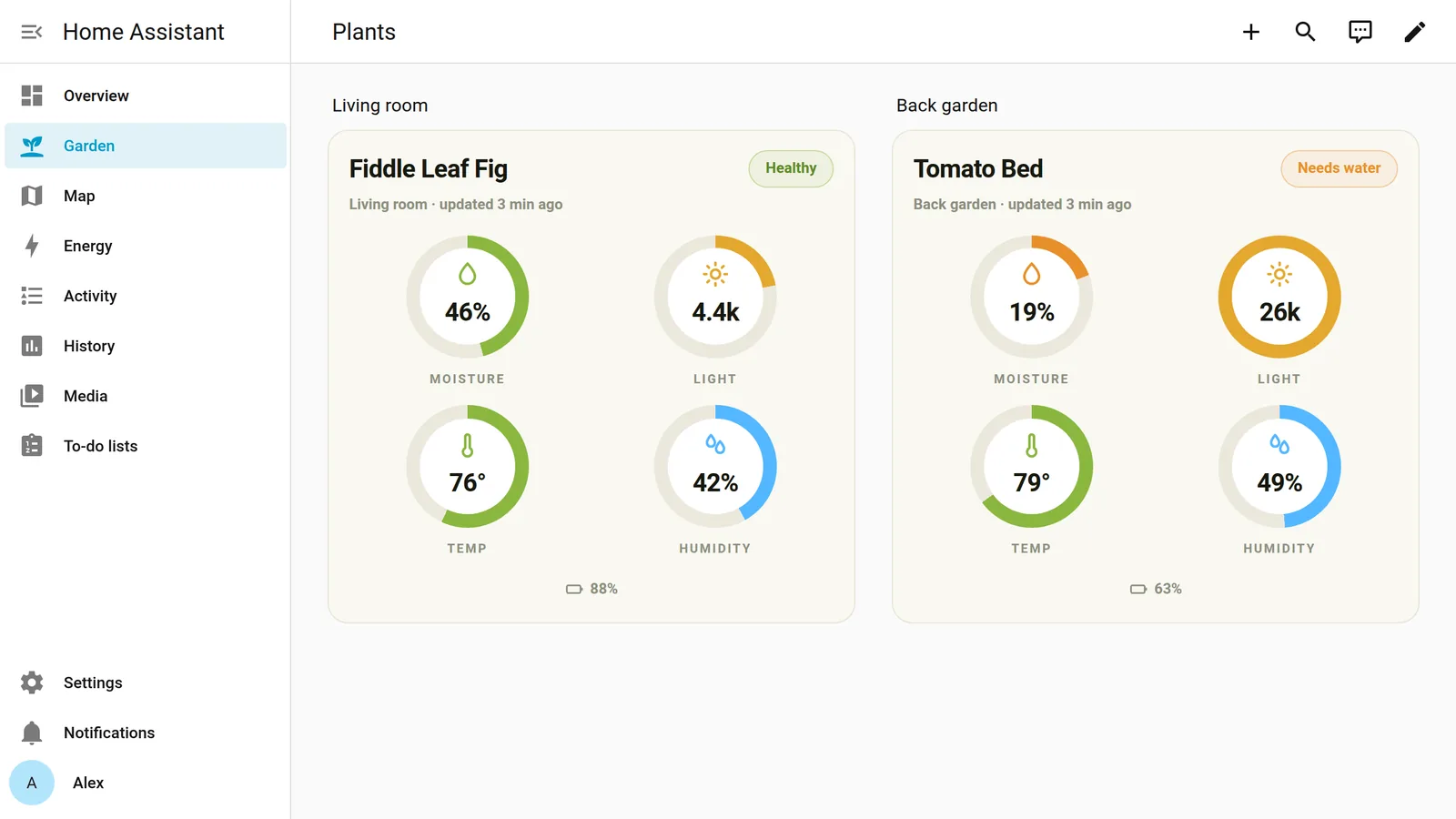
The card is in HACS too: search for PlantSense Card, click Download, and reload your browser. The guide has the details and the YAML.
Automations
The readings are ordinary Home Assistant sensors, so anything Home Assistant can do, a plant can trigger. This one sends a phone notification when the soil gets dry, during the day only:
alias: Fiddle Leaf Fig needs water
triggers:
  - trigger: numeric_state
    entity_id: sensor.fiddle_leaf_fig_moisture
    below: 25
conditions:
  - condition: time
    after: "08:00:00"
    before: "21:00:00"
actions:
  - action: notify.mobile_app_your_phone
    data:
      title: Time to water the Fiddle Leaf Fig
      message: >-
        Soil moisture is down to
        {{ states('sensor.fiddle_leaf_fig_moisture') | round(0) }}%.
mode: single
Other ideas: turn on a grow light when the illuminance stays low, or pulse a pump on a smart plug.
Free and open source
The integration and the card are free, like the app, and both are MIT-licensed on GitHub: plantsense-ha-integration and plantsense-ha-card. Bug reports and requests go to their issue pages, or reach us through the support page.
Thanks to the HACS reviewers for including PlantSense.