
Documentation
PlantSense in Home Assistant
Install the free PlantSense integration and every reading from your sensors shows up in Home Assistant: soil moisture, light, temperature, humidity, and battery, ready for dashboards and automations. It reads from your PlantSense account, so Home Assistant has the latest values even while the sensor sleeps.
1. Install the integration
PlantSense is listed in HACS, the community store for Home Assistant. The button below opens it in your Home Assistant.
Or find it yourself:
- In Home Assistant, open HACS and search for PlantSense.
- Click Download, then restart Home Assistant.
Home Assistant 2026.11 or later? HACS is built in as the Marketplace. Go to Settings → Marketplace, search for PlantSense, and select Install. Restart if Home Assistant asks you to. The button above opens the Marketplace too.
2. Sign in with your PlantSense account
- Go to Settings → Devices & services → Add integration and search for PlantSense (or start setup directly).
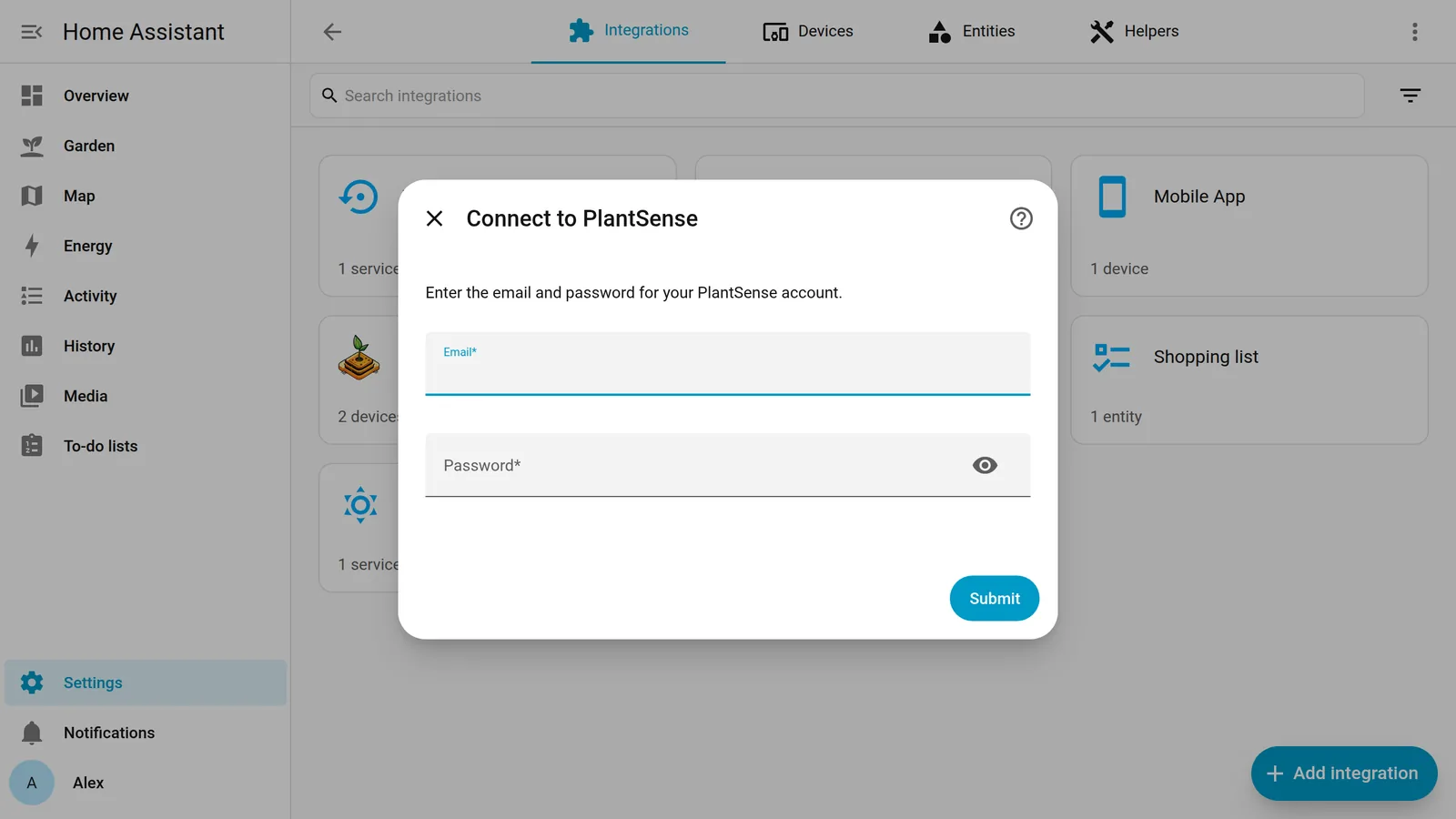
- Enter the email and password you use in the PlantSense app and at app.myplantsense.com.
Signed up with Apple or Google? Your account doesn't have a password yet. Tap Forgot your password? on the app's sign-in screen to set one, then use it here.
What shows up
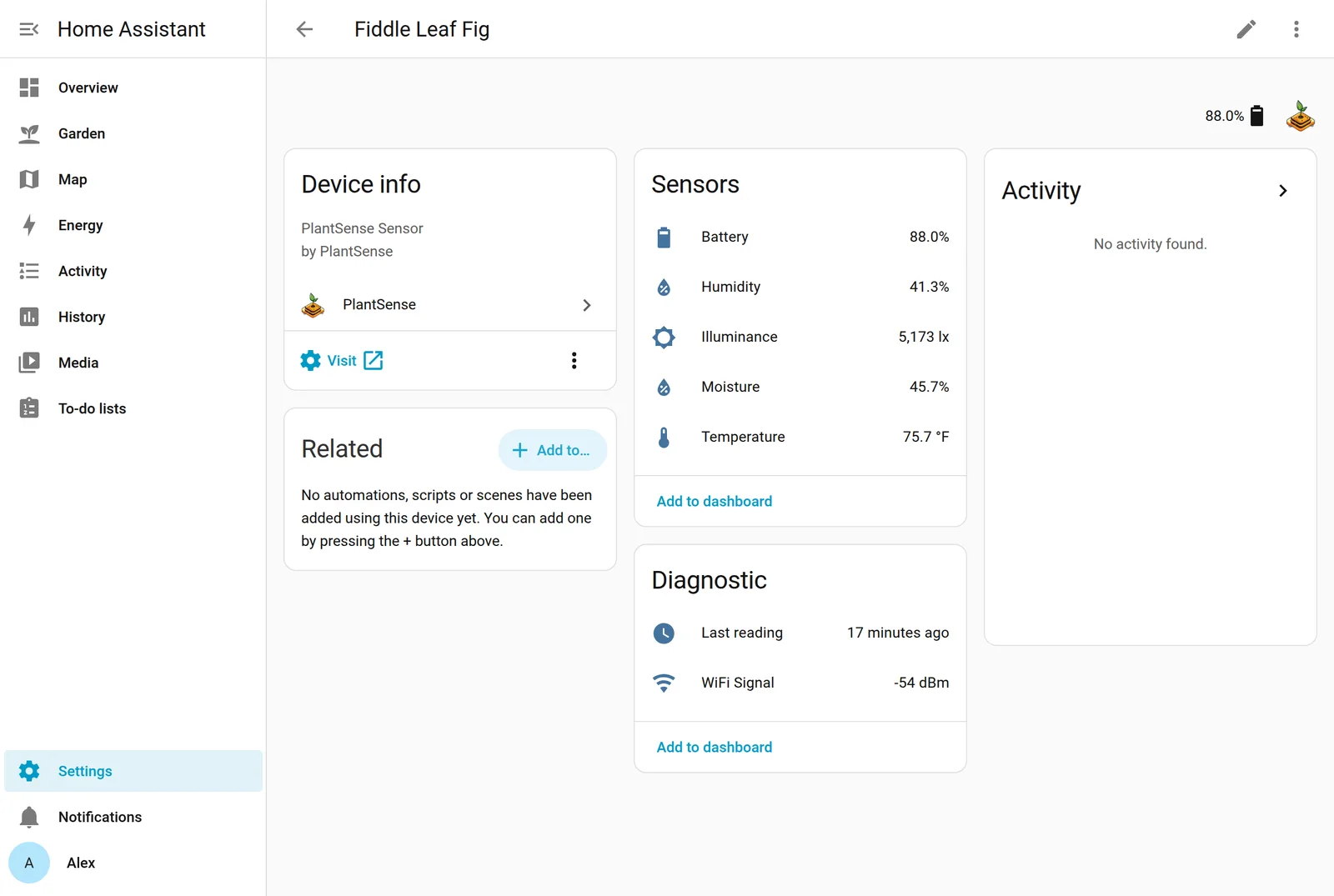
Each sensor on your account becomes a Home Assistant device, named after the plant you gave it in the app. Its entity ids follow that name, so a plant called Fiddle Leaf Fig gets sensor.fiddle_leaf_fig_moisture and so on. The integration checks for new readings every 20 minutes. Your sensors report every 90 minutes to 5 hours, so checking more often wouldn't make the values any fresher.
| Entity | Example id | Unit | Notes |
|---|---|---|---|
| Moisture | sensor.fiddle_leaf_fig_moisture | % | Soil moisture. |
| Temperature | sensor.fiddle_leaf_fig_temperature | °C or °F | Air next to the plant, shown in your unit system. |
| Humidity | sensor.fiddle_leaf_fig_humidity | % | Relative humidity of the air. |
| Illuminance | sensor.fiddle_leaf_fig_illuminance | lx | Light level at the last reading. |
| Battery | sensor.fiddle_leaf_fig_battery | % | |
| WiFi Signal | sensor.fiddle_leaf_fig_wifi_signal | dBm | Diagnostic. |
| Last reading | sensor.fiddle_leaf_fig_last_reading | Diagnostic. When the sensor last reported. |
All of them keep long-term statistics, so Home Assistant's history graphs work out of the box. Sensors you add to your account later appear on the next check, with no restart. A sensor you remove from your account can then be deleted from its device page.
Offline sensors. A sensor normally reports at least every 5 hours. If its newest reading is more than 6 hours old, the same point at which the app shows it as Offline, its readings become unavailable, so automations don't act on old values. Last reading stays available with the time of the newest reading, so you can build a low-battery or offline alert on it.
Add the PlantSense dashboard card
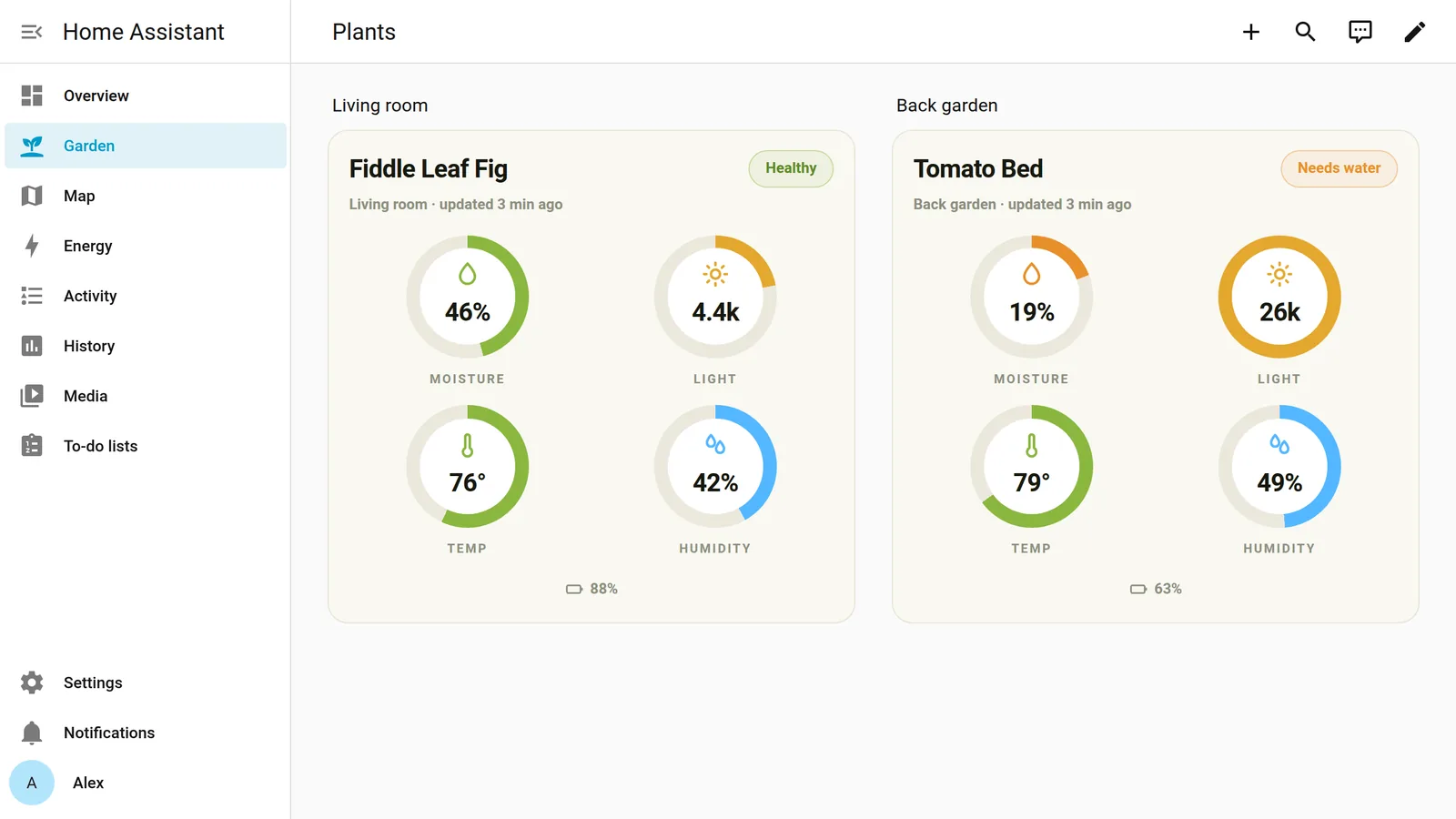
The PlantSense Card shows a sensor the way the app does: the plant name, a Healthy / Needs water / Too wet pill, dials for moisture, light, temperature, and humidity, and the battery level. It follows Home Assistant's light and dark themes.
Or search HACS (the Marketplace, from Home Assistant 2026.11) for PlantSense Card, download it, and reload your browser. Then edit a dashboard, choose Add card, and pick PlantSense Card: it fills in your first sensor for you. In YAML:
type: custom:plantsense-card
name: Fiddle Leaf Fig
location: Living room
moisture: sensor.fiddle_leaf_fig_moisture
temperature: sensor.fiddle_leaf_fig_temperature
humidity: sensor.fiddle_leaf_fig_humidity
illuminance: sensor.fiddle_leaf_fig_illuminance
battery: sensor.fiddle_leaf_fig_battery
# optional: the healthy soil-moisture band (defaults 15 / 60)
moisture_min: 15
moisture_max: 60
The moisture band drives the status pill. 15–60% suits a typical houseplant; succulents want it much lower, tropicals a little higher. The PlantSense app shows the range for your plant. All options are in the card's README.
Example: a reminder when the soil gets dry
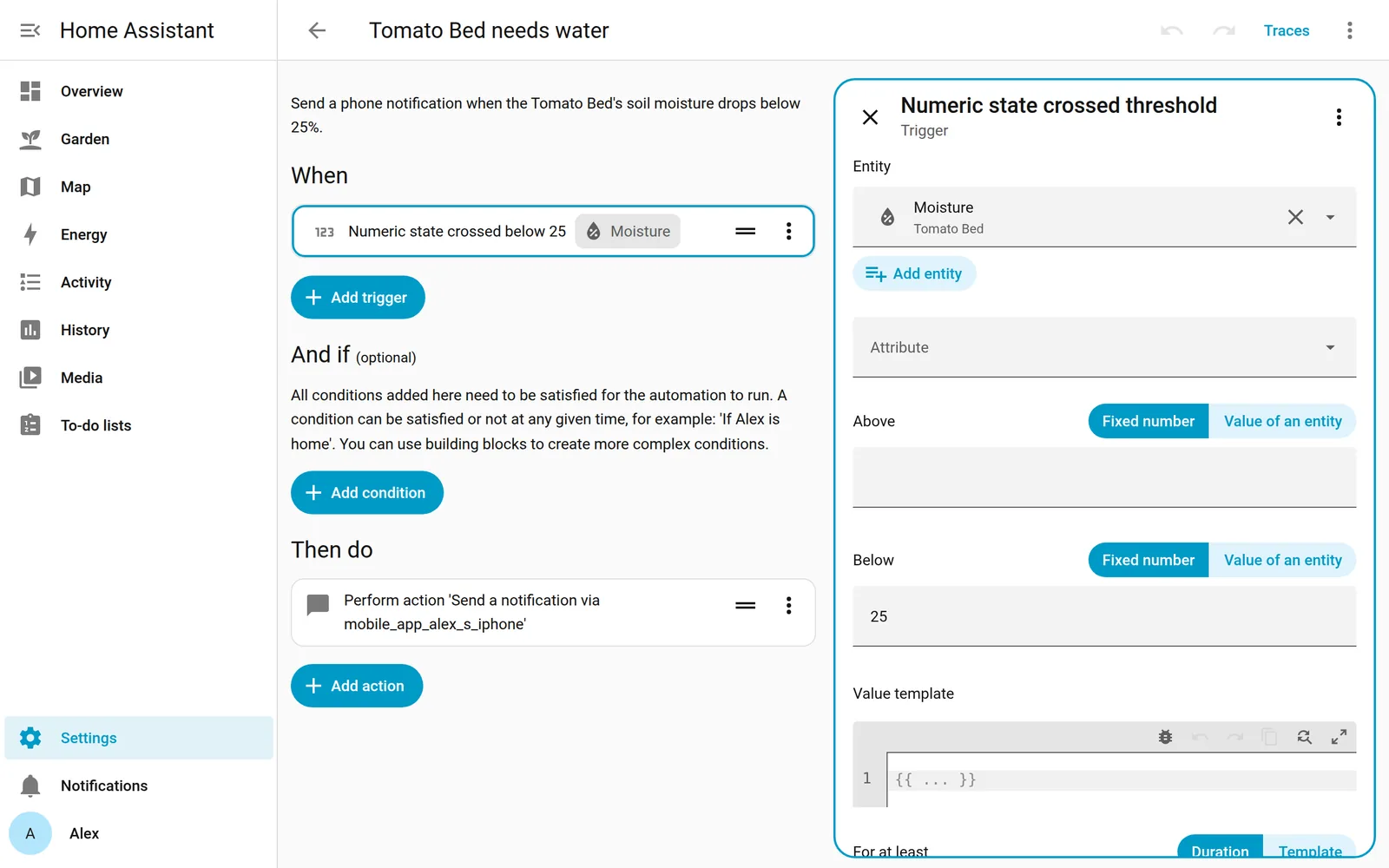
The readings are ordinary Home Assistant sensors, so you can trigger anything. This sends a phone notification when soil moisture drops below 25%, during the day only.
alias: Fiddle Leaf Fig needs water
triggers:
  - trigger: numeric_state
    entity_id: sensor.fiddle_leaf_fig_moisture
    below: 25
conditions:
  - condition: time
    after: "08:00:00"
    before: "21:00:00"
actions:
  - action: notify.mobile_app_your_phone
    data:
      title: Time to water the Fiddle Leaf Fig
      message: >-
        Soil moisture is down to
        {{ states('sensor.fiddle_leaf_fig_moisture') | round(0) }}%.
mode: single
Other ideas: a low-battery reminder (battery below 15%), turning on a grow light when the illuminance stays low, or pulsing a pump on a smart plug.
Advanced: adopt the sensor through ESPHome
PlantSense runs ESPHome, so Home Assistant can also find it on your own network with no account at all: a sensor on the same Wi-Fi appears under Settings → Devices & services → Discovered as an ESPHome device. The sensor sleeps between readings and is awake for only about 30 seconds each time, so adopt it right after pressing RESTART (it then stays awake for 5 minutes). We're still testing how this path behaves across the sensor's sleep cycles, so for now we recommend the integration above for everyday use. The card works with either: ESPHome entity ids look like sensor.plantsense_a1b2c3_soil_moisture.
Found a bug or have a request? Open an issue on the integration's GitHub page, or reach us through the support page.